
Cellular cameras with built-in batteries and solar panels for land, gates, barns and cabins. Real data-plan costs, honest autonomy math, and which model fits which site. This guide sums up the criteria that matter, the mistakes to avoid and the concrete choices that help you decide faster.
Some places need a camera and have nothing to give it. A gate at the end of a quarter-mile driveway. A barn. A stretch of vacant land where equipment keeps disappearing. A cabin that’s empty eight months of the year. No outlet, no router, sometimes not even a building.
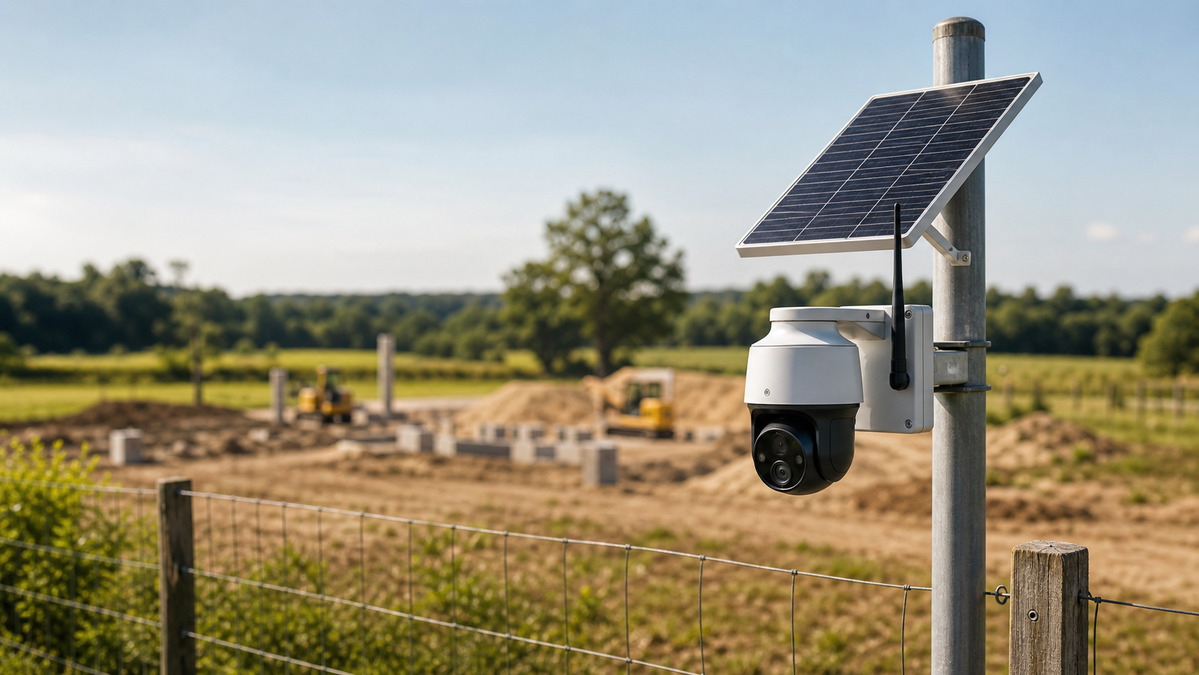
For twenty years that meant “no camera.” It no longer does. A cellular camera with a built-in battery and a solar panel needs nothing from the site at all — it makes its own power and carries its own connection. Install it on a fence post in the middle of a field and it will send you a clip when someone walks past.
The catch is that this category has more ways to disappoint you than any other in home security. Cheap models die every winter. Data plans quietly cost more than the camera. And “solar-powered” on the box frequently means “solar-assisted, in June.” Here’s how to buy one that still works next February.
Wi-Fi, LTE, solar: what we’re actually talking about
Three independent variables get muddled together in product listings. Separate them and the category makes sense:
Connectivity — how the footage leaves the site.
- Wi-Fi: needs a router within range. Free to run, useless where there’s no internet.
- LTE/4G/5G: needs a SIM and a monthly data plan. Works anywhere with cell coverage.
- No connection at all: records to a local microSD card only. Zero running cost, but you have to physically go get the footage — and if the camera is stolen, so is the evidence.
Power — how it keeps running.
- Wired: most reliable, needs an outlet.
- Battery only: 2–6 months per charge depending on activity, then you go swap it.
- Battery + solar: the battery is a buffer, the panel refills it. This is what makes a site truly unattended.
Storage — where clips live.
- Local microSD: free, but vulnerable to theft along with the camera.
- Cloud: survives the camera being stolen, costs a subscription, consumes cellular data.
- Both: the correct answer for an unattended site. Record locally, upload the important clips.
A fully autonomous camera is LTE + solar + both storage types. Anything less and the site still depends on something you’d have to provide.
When you genuinely need one
- Land with no building. A lot, a paddock, a woodlot, a hunting parcel. Equipment and materials theft is the driver here.
- A gate or entrance far from the house. Long driveways where running cable or extending Wi-Fi is a project in itself.
- Barns, outbuildings, detached workshops. Often have power but no network — an LTE camera skips the whole Wi-Fi extension problem.
- A cabin or vacation home you visit rarely. See our guide to monitoring a vacation home remotely for the full setup around this.
- A construction site or a stored RV, boat, or trailer. Temporary, high-value, and no infrastructure.
- A property where the burglar can kill the internet. An LTE camera doesn’t care what happens to your router — a useful redundancy even at a connected house, and the same logic behind alarms with no Wi-Fi.
Where you don’t need one: anywhere Wi-Fi reaches. A mesh node or an outdoor access point costs less than a year of cellular data. Exhaust that option first.
Comparing LTE solar cameras in 2026
| Model | Resolution | Solar | SIM | Ballpark price |
|---|---|---|---|---|
| Reolink Go PT Ultra | 4K, pan/tilt | Included or optional | Own SIM or Reolink plan | ~$250–300 |
| Arlo Go 2 | 1080p, LTE + Wi-Fi | Panel sold separately | Built-in, Arlo plan | ~$250 |
| Eufy 4G LTE Cam S330 | 2K, integrated panel | Integrated | Own SIM | ~$200–250 |
| Vosker V300 | 1080p, rugged/outdoor | Integrated | Vosker plan | ~$300 |
| Reolink Go Ultra | 4K, fixed lens | Optional panel | Own SIM or plan | ~$180–220 |
The SIM card: the detail that decides your running cost
This is where the real money is, and where most buyers get quietly caught.
Two routes
The manufacturer’s plan. Reolink, Arlo, and Vosker all sell connectivity bundled with their cloud storage — typically $8 to $20 a month per camera. Simple, one bill, one app, and support that can actually diagnose a connection problem. You pay a premium for that.
Your own SIM. Cameras that accept a standard SIM let you use a cheap prepaid or IoT data plan. A low-data prepaid line runs $3 to $10 a month, and IoT-specific plans can go lower. Over three years on two cameras, the difference is several hundred dollars.
How much data does it actually use?
Rough figures for planning:
| Activity | Data used |
|---|---|
| One 15-second event clip at 2K | ~10–20 MB |
| One 15-second clip at 1080p | ~5–10 MB |
| Live viewing, 1080p | ~0.7–1 GB per hour |
| Keep-alive / status pings | ~50–150 MB per month |
Ten events a day at 2K is roughly 3–6 GB a month. Cut it to 1080p and tighten the motion zones and the same site fits comfortably in 1–2 GB.
Live view is the budget killer. One hour of live streaming can burn more data than a whole month of clips. Use it deliberately, not as a habit.
A workable default: record everything locally to a high-endurance microSD at full resolution, upload only short event clips at reduced resolution over LTE. You keep the good footage and pay for almost none of it.
Solar autonomy, honestly
The same physics as any solar camera panel, with one important difference: an LTE radio uses considerably more power than Wi-Fi, especially in a weak-signal area where the modem transmits harder to stay connected.
Plan on 6 to 10 Wh a day for a moderately active LTE camera — roughly double a Wi-Fi equivalent. That changes the sizing:
- A 3 W panel is not enough for an LTE camera anywhere outside the sunny southwest.
- 6 W is the sensible floor, and many integrated-panel models are around this figure.
- In the northern half of the US, size for December, not July — or accept a mid-winter visit with a charged spare battery.
Two site-specific factors matter more here than for a Wi-Fi camera:
- Weak signal costs battery. A camera at one bar can consume 50–100% more than the same camera at four bars. Signal quality is a power decision, not just a connectivity one.
- Cold cuts capacity. Lithium cells deliver meaningfully less below freezing. A camera that runs eight weeks per charge in September may run four in January.
Which setup fits your site?
📡 What does your off-grid site need?
4 questions, 1 minute. The result points you to the right configuration.
1. Is there cell coverage at the exact spot?
2. How often will you physically visit?
3. What's the sun exposure?
4. What are you protecting?
Installation: four things that decide whether it lasts
1. Test the signal before you mount anything. Power the camera up, set it on the ground where it will live, and read the reported signal strength in the app. If it’s marginal, move it — height helps a lot, and a few feet up a post can be the difference between two bars and four. Many models accept an external high-gain antenna; on a fringe site that accessory matters more than the camera’s resolution.
2. Mount high, tilt down, aim away from the sun. Eight to twelve feet puts it out of casual reach. Pointing the lens roughly north (in the northern hemisphere) avoids the sun flaring the image at dawn and dusk. And put the solar panel where the sun is, which is often not where the camera should look.
3. Set the motion zones before you leave, not later. This is the single most consequential setting. Grass, branches, a road, livestock — anything that moves in frame will generate clips, burn data, and drain the battery. Mask them out. Then set detection to person/vehicle only if the camera supports it, and watch the first day’s event count before you drive away.
4. Use a high-endurance microSD card. Standard cards are built for occasional photo writes, not continuous video. They fail in months under surveillance loads, usually silently — you find out when you need the footage. Buy a card explicitly rated for video surveillance or dashcam use, in 64–128 GB.
Common mistakes
- Buying before checking coverage at the exact spot. The most expensive mistake in this category, and the most common.
- Leaving the default motion sensitivity. A camera facing an open field on default settings can generate hundreds of clips a day and exhaust both the data plan and the battery in a week.
- Relying only on the microSD card. If the camera is stolen, so is your evidence. Upload short clips to the cloud — that redundancy is the reason to have cellular at all.
- Under-sizing the solar panel because the box says “solar powered.” Check the wattage against your latitude and the camera’s real consumption.
- Forgetting the plan renews. A prepaid SIM that lapses takes the camera offline silently. Set autopay, or a calendar reminder.
- Mounting it where you can’t reach it for maintenance. You will need to get to it: a battery swap, a card, a lens wipe. Twelve feet on a post is fine. Thirty feet up a tree is a problem you built yourself.
Get a free quote within 24 hours from a licensed installer near you — no obligation, zero spam.
Our verdict
An LTE solar camera is the only real answer for a site with no power and no internet — and within that category the differences that matter aren’t the ones on the box.
Signal beats specs. A 4K camera at one bar will underperform a 1080p camera at four bars, on every axis including battery life. Test first.
Your own SIM beats a bundled plan if the camera allows it, and the gap compounds over years.
Record locally, upload selectively. Full resolution to a high-endurance card, short clips over cellular. You keep the evidence and pay for a fraction of the data.
Size the panel for winter and the motion zones for reality. These two settings decide whether the camera is still working in February, and neither costs anything.
Get those right and a fence post in an empty field becomes a monitored location. For the camera-selection fundamentals, see choosing an outdoor security camera, and for powering conventional battery cameras, our solar panel guide.
Frequently Asked Questions
Can a security camera work with no internet at all?
Yes, in two ways. A camera recording to a local microSD card works with no connection whatsoever — but you have to go collect the footage, and a stolen camera takes the evidence with it. A cellular (LTE) camera works with no local internet by using the mobile network, which is what makes remote alerts possible. For an unattended site, use both.
How much does the data plan cost?
Manufacturer plans typically run $8–20 per month per camera, bundled with cloud storage. Bringing your own prepaid or IoT SIM to a camera that accepts one usually costs $3–10 per month. A well-configured 2K camera uploading only event clips needs about 1–3 GB monthly; live streaming is what blows that budget, at roughly 1 GB per hour.
Will the solar panel really keep it running year-round?
In the southern US, generally yes with a 6 W panel. Farther north, an LTE camera’s higher power draw plus short December days often means a modest winter deficit. Plan for a mid-winter battery swap, or oversize the panel and mount it at a steep tilt. Weak cell signal also raises consumption significantly — signal quality is a battery decision too.
What happens if there's no cell coverage at the site?
An LTE camera is not an option there. Your alternatives are a local-recording battery camera you check on visits, a long-range point-to-point Wi-Fi bridge from a building that does have internet (workable up to a few hundred yards with line of sight), or a satellite internet terminal if the site justifies the cost. Check coverage before buying, not after.
Do I need a special microSD card?
Yes. Use a high-endurance card rated for video surveillance or dashcam use. Standard cards are designed for intermittent writes and fail within months under continuous recording — usually without warning, so you discover it when you need the footage. 64–128 GB is the practical range.
Can it be stolen along with the evidence?
That’s the core risk of local-only recording, and it’s why cloud upload matters on an unattended site. Mount the camera out of easy reach, use anti-tamper screws where available, and configure it to push short clips off-site immediately. Then the theft of the camera is a hardware loss, not an evidence loss.
Is an LTE camera useful at a normal house?
It can be, as redundancy. A burglar who cuts your internet or your power blinds every Wi-Fi camera on the property; an LTE camera with its own battery keeps reporting. It’s the same reasoning behind cellular backup on an alarm panel. For most homes, though, a UPS on the router plus a cellular-backed alarm is the cheaper way to get that resilience.
Sources and references
- FCC — Mobile broadband coverage maps — carrier coverage data by location.
- NREL — National Solar Radiation Database — peak sun hours by US location for panel sizing.
- FBI Crime Data Explorer — property and equipment theft statistics.
- Manufacturer specifications (Reolink, Arlo, Eufy, Vosker) for LTE bands, power consumption and data plan terms.
