
Stop climbing a ladder to swap batteries. How to pick a solar panel for a Ring, Arlo, Reolink or Eufy camera: wattage, connectors, tilt, and honest winter math. This guide sums up the criteria that matter, the mistakes to avoid and the concrete choices that help you decide faster.
Battery cameras solved the wiring problem and created a new one: the ladder. Every four to eight weeks, up you go, unclip the camera, bring it inside, charge it overnight, climb back up. Do that on three cameras through a wet November and you’ll understand why so many wireless cameras end up dead on the wall — not broken, just not worth the trip.
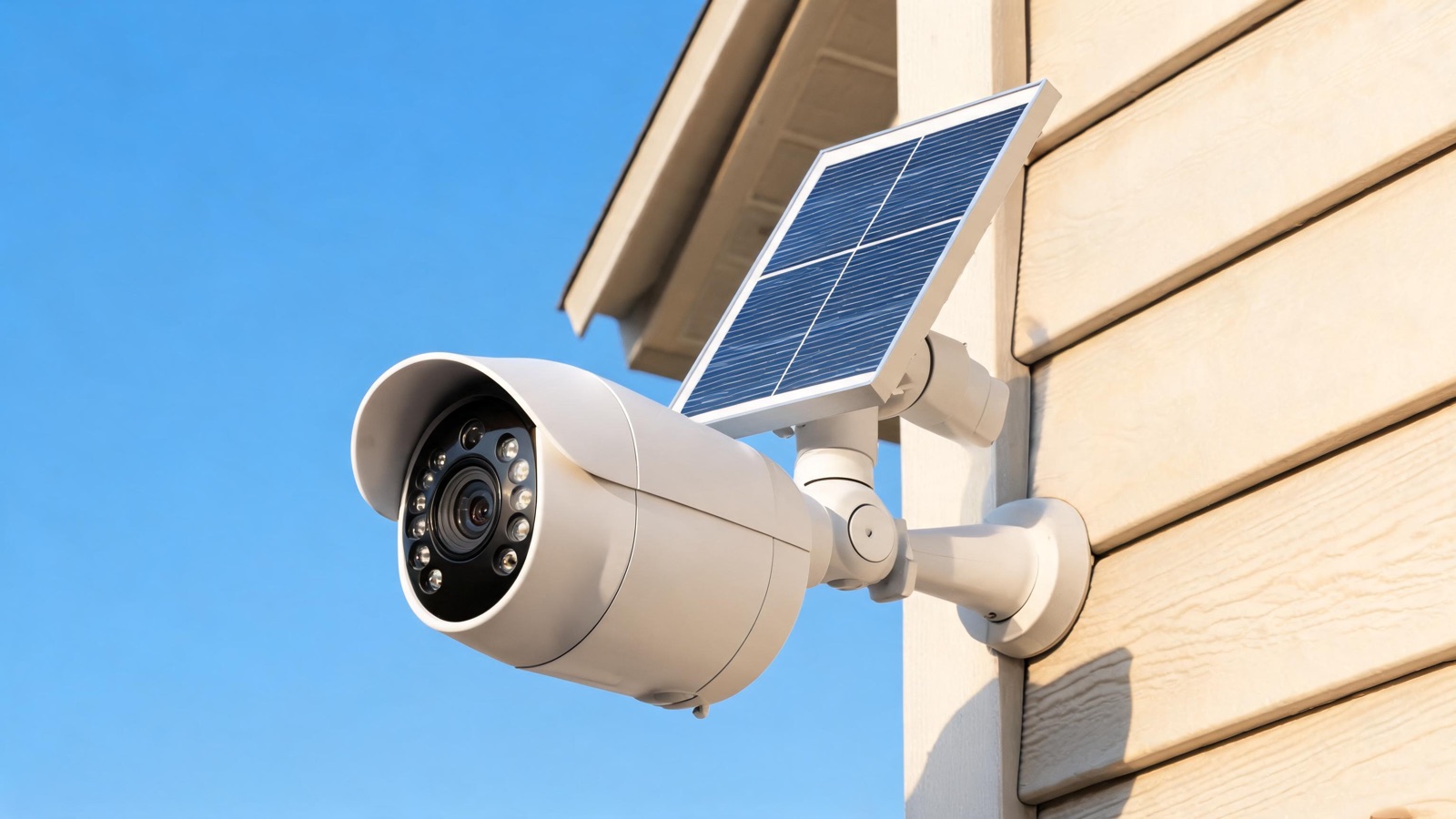
A $30 solar panel ends that cycle. It’s the cheapest, least glamorous upgrade in home security, and on a camera you’d otherwise stop maintaining, it’s the difference between a working deterrent and a plastic prop.
The catch is that solar panels are sold on a single number — watts — and watts are the least important thing about them. Get the connector wrong and it won’t plug in. Get the tilt wrong and it won’t keep up in January. Here’s how to get both right.
When a solar panel actually changes things
Not every battery camera needs one. Solar earns its place in four situations:
- The camera is hard to reach. Second floor, a gable end, over a garage door. If recharging means a ladder, solar pays for itself the first time you don’t climb it.
- The camera is busy. A driveway or sidewalk camera that records twenty events a day burns through a battery in two or three weeks. Solar turns that into a non-issue.
- There’s no outlet within reach. A back fence, a shed, a gate. See our guide to cameras with no Wi-Fi and no power for the fully off-grid version of this problem.
- The property is unoccupied. A vacation home where nobody is around to notice a low-battery alert.
Where solar is not worth it: a low-traffic camera at eye level next to an outlet. Just plug it in, or accept the twice-a-year swap.
The 4 criteria that decide everything
1. The connector — check this first, before anything else
This is where most purchases go wrong. There is no universal standard. Cameras use:
- Micro-USB — older Ring, Blink, many budget brands
- USB-C — most 2024+ models
- Proprietary barrel or magnetic connectors — Arlo (its own plug), Eufy (varies by generation), some Reolink models
A “universal” panel with a micro-USB tip will not charge a USB-C camera, and an adapter that fits mechanically may not negotiate the right voltage. Find your camera’s exact model number and confirm the connector before you buy. When in doubt, buy the panel your camera’s manufacturer sells for that specific model — the $10 premium over a generic is cheap compared to a return.
2. Wattage — less important than you think
Most camera solar panels are rated 2 W to 6 W. That range sounds trivial, and it is — but so is the load. A typical battery camera consumes on the order of 2 to 6 Wh per day with moderate activity: mostly standby, a handful of wake-and-record events, one or two live views.
A 3 W panel in good sun harvests roughly 9–12 Wh/day in summer. That’s a comfortable surplus. The problem isn’t summer.
3. Cable length — the spec nobody checks
Panels commonly ship with 8 to 13 feet of cable. That number determines whether you can put the panel where the sun is rather than where the camera is. Longer is almost always better. If the camera sits under an eave on the shaded side, a 13-foot cable lets you reach the sunlit roofline; an 8-foot one doesn’t.
4. The mount — it must tilt and rotate
A panel that only swivels left and right is half a mount. You need to set the tilt angle as well, and hold it there through wind. Look for a ball-joint or two-axis bracket with a real locking screw, not friction. Cheap brackets sag over a season and end up pointing at the ground.
Comparing camera solar panels in 2026
| Panel | Works with | Rated | Cable | Ballpark price |
|---|---|---|---|---|
| Ring Solar Panel | Ring Stick Up Cam / Spotlight Cam | ~2–4 W | ~13 ft | ~$50 |
| Arlo Solar Panel Charger | Arlo Pro / Ultra (proprietary plug) | ~2.5 W | ~8 ft | ~$60 |
| Reolink Solar Panel | Reolink Argus / battery range | ~6 W | ~13 ft | ~$30 |
| Eufy Solar Panel | eufyCam / SoloCam range | ~2.6 W | ~13 ft | ~$40 |
| Universal USB-C panel | Any USB-C battery camera | 5–10 W | 10–16 ft | ~$25–35 |
The honest math: will it survive winter?
Summer is easy. December is the test, and this is where marketing goes quiet.
Solar output is governed by peak sun hours — the equivalent hours of full-strength sunlight your location receives per day. Rough US figures:
| Location | Summer peak sun hours | Winter peak sun hours |
|---|---|---|
| Phoenix, AZ | ~7.5 | ~4.5 |
| Los Angeles, CA | ~7 | ~4 |
| Houston, TX | ~6 | ~3.5 |
| Chicago, IL | ~5.5 | ~2 |
| Seattle, WA | ~5.5 | ~1.2 |
Now put a 3 W panel on those numbers, and derate by about 40% for real-world losses — panel angle, glass haze, dirt, low winter sun angle, charging inefficiency:
Phoenix in December: 3 W × 4.5 h × 0.6 ≈ 8 Wh/day — comfortable surplus. Chicago in December: 3 W × 2 h × 0.6 ≈ 3.6 Wh/day — roughly break-even on a moderately busy camera. Seattle in December: 3 W × 1.2 h × 0.6 ≈ 2.2 Wh/day — a deficit on anything but a quiet camera.
Three conclusions follow, and they’re the practical heart of this guide:
- In the southern half of the US, a 2.5–3 W panel is genuinely enough year-round.
- North of roughly the 40th parallel, buy 5–6 W. The oversizing exists to carry December, not July. It costs $10 more.
- A snow-covered panel produces zero. Not “less” — zero. Mount it steeply enough that snow slides off, and brush it after a storm.
Quiz: will solar work at your place?
☀️ Will a solar panel keep your camera alive?
4 questions, 30 seconds. The result tells you what wattage to buy.
1. Where do you live?
2. Can the panel face roughly south with no shade?
3. How busy is the camera?
4. Do you record in color night vision or stream live often?
Aiming the panel: the 80% of the result
Everything above is procurement. This is the part that actually determines whether it works.
Direction. Face the panel south (northern hemisphere). Southeast or southwest costs you maybe 10–15%. East or west costs 30–40%. North is a decoration.
Tilt. The rule of thumb: set the tilt angle roughly equal to your latitude, then add 10–15° to favor winter, when the sun is low and you need the help. Practical numbers:
| City | Latitude | Good year-round tilt |
|---|---|---|
| Houston | 30° | 35–40° |
| Los Angeles | 34° | 40–45° |
| New York | 41° | 45–55° |
| Chicago | 42° | 45–55° |
| Seattle | 48° | 50–60° |
A steeper tilt also sheds rain, dust, and snow — which is worth as much as the angle gain in practice.
Shade is not proportional. A branch shading a quarter of the panel does not cost you a quarter of the output; on many panels the cells are wired in series and partial shade can cut output disproportionately. Trace where the shadows fall at 9 a.m., noon, and 3 p.m. in winter, when the sun is lowest and trees cast long shadows, before you drill.
Height and reach. Mount it high enough that it can’t be casually unplugged or stolen, but not so high that cleaning it becomes another ladder trip. Roughly 8–10 feet is the sweet spot.
Cutting the load: the free half of the equation
A solar panel raises supply. You can also lower demand — and it costs nothing:
- Tighten motion zones. Exclude the sidewalk, the street, the neighbor’s driveway. A camera triggered by every passing car is doing all its work for nothing, and it’s the single biggest battery drain there is.
- Shorten clip length. Twenty seconds instead of sixty cuts the recording energy by two-thirds on the same number of events.
- Turn off the spotlight for routine recordings. Color night vision is power-hungry. Keep it for the camera that covers the actual entry point.
- Lower the resolution on secondary cameras. 2K on the driveway, 1080p on the side yard.
- Raise the motion sensitivity threshold so leaves and rain don’t wake the camera. Our outdoor camera guide goes deeper on placement that avoids false triggers in the first place.
Do these five and a busy camera’s daily draw can drop by half. That turns a marginal winter into a comfortable one without spending anything.
Common mistakes
- Mounting the panel flat against a wall. It’s the default because it’s easy, and it’s the worst possible angle. Use the bracket.
- Buying on wattage alone and getting the wrong plug. Connector first, watts second.
- Forgetting the drip loop. Water in the charging port kills more cameras than dead batteries do.
- Never cleaning it. Pollen, dust, and bird droppings can cost 20–30% of output. Wipe it twice a year — spring and late autumn.
- Expecting solar to fix a bad location. If the camera itself is in a spot with no sun anywhere within cable reach, the answer is a wired adapter, not a bigger panel.
Get a free quote within 24 hours from a licensed installer near you — no obligation, zero spam.
Conclusion
A solar panel is a $30 accessory that determines whether a $150 camera is a working part of your security or a decoration you stopped maintaining. That’s an unusually good return, and it hinges on three decisions that have nothing to do with the number on the box:
Buy for the connector. Confirm your camera’s exact plug before ordering, and prefer the manufacturer’s panel for anything proprietary.
Buy for your latitude. 2.5–3 W in the southern US, 5–6 W north of the 40th parallel. The oversizing is there for December.
Mount it south, tilted at your latitude plus 10°, out of the winter shade — and run the cable to wherever the sun actually is, not next to the camera.
Get those right and the ladder goes back in the garage for good. To choose the camera itself, see our guide to picking an outdoor security camera and our roundup of the best outdoor cameras.
Frequently Asked Questions
Will a solar panel work through winter?
In the southern half of the US, yes — a 2.5–3 W panel typically keeps up year-round. North of about the 40th parallel, a small panel may run a modest deficit in December and January on a busy camera. Buy 5–6 W, tilt it steeply, and expect to top up by cable once mid-winter at worst.
Can I use any solar panel with any camera?
No. The connector is the constraint: micro-USB, USB-C, and several proprietary plugs (Arlo, some Eufy and Reolink models) are not interchangeable, and a mechanical adapter may not deliver the right voltage. Check your camera’s exact model number first. For proprietary connectors, buy the manufacturer’s panel.
What tilt angle should I use?
Set the tilt roughly equal to your latitude, then add 10–15° to favor the low winter sun. In practice that’s about 35–40° in Houston, 45–55° in New York or Chicago, and 50–60° in Seattle. A steeper angle also sheds rain, dust, and snow, which matters as much as the angle itself.
Does shade really matter that much?
Yes, and disproportionately. On many panels the cells are wired in series, so shading even a small portion can cut output far more than the shaded fraction would suggest. Check where shadows fall in winter — when the sun is lowest and shadows longest — not on the summer afternoon when you’re installing it.
How long does a solar panel last?
The panel itself typically lasts 8–10 years or more; output declines slowly. What fails first is almost always the cable or the connector, from UV exposure and water ingress. Use a drip loop, protect the plug, and inspect the cable where it bends or is clipped down.
Will it charge my camera on a cloudy day?
Yes, but at roughly 10–25% of clear-sky output depending on cloud thickness. A few overcast days in a row are fine because the camera’s battery buffers them. A month of December overcast at a northern latitude is what a larger panel is for.
Is solar better than just running a power cable?
If an outlet is within easy reach and you can route a cable safely, wired power is more reliable and cheaper. Solar wins where wiring is impractical: high mounts, back fences, sheds, gates, detached buildings — and anywhere on a property that sits unoccupied for weeks at a time.
Sources and references
- NREL — National Solar Radiation Database — peak sun hours and solar irradiance data by US location.
- NOAA — Solar position and daylight data — seasonal sun angle references.
- Manufacturer specifications (Ring, Arlo, Reolink, Eufy) for panel wattage, connectors, and camera power consumption.
